Every update email in one place
The team can read every release note and update email as people get it, change it, send a test to themselves, and send it to the people who should know.
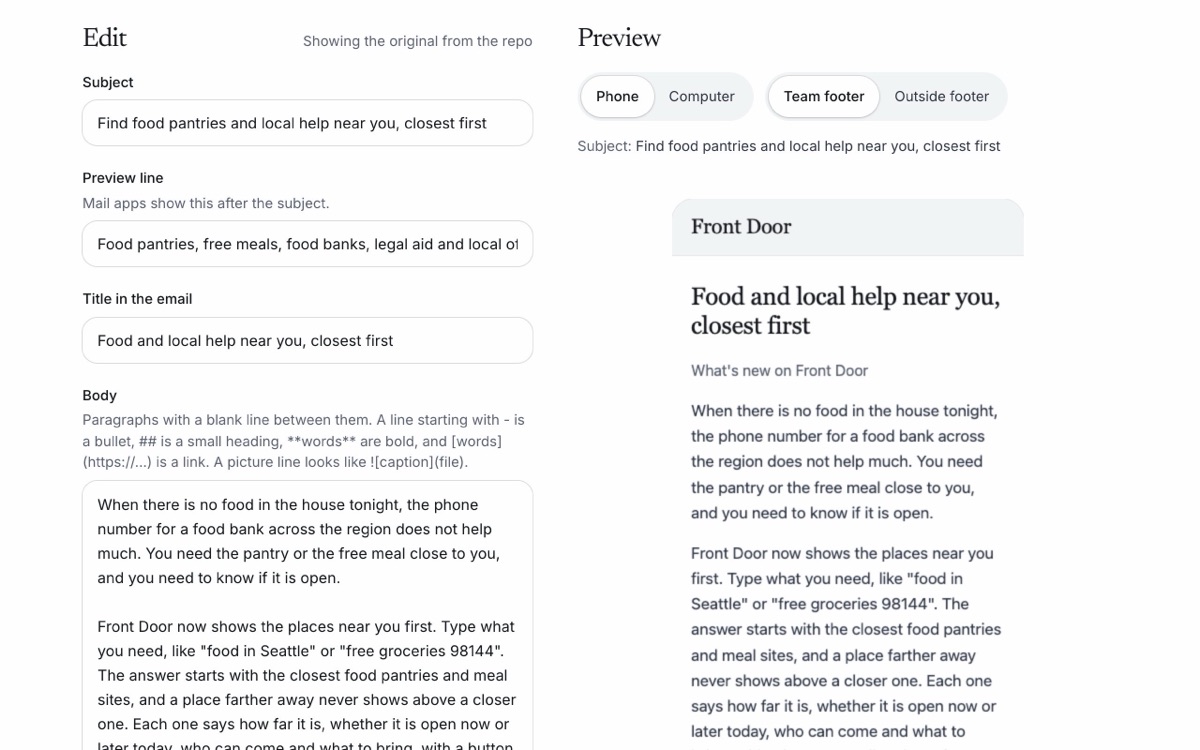
Our release notes went to the team once and then sat in a folder. Partners, agencies and the people we help never saw most of them. Now the team has one page for all of them.
- Every email in one list. Each release note and each new update email, newest first, with search and who it is for: people looking for help, community partners, agencies and officials, or the team.
- See it the way people do. Each email opens in the same design people get, at phone and computer width, with the team footer or the footer people outside the team get.
- Change it first. Edit the subject, the preview line, the words, which screenshots show and their captions, and the buttons. Each save is a new version with the changes marked. The release folder never changes.
- Send a test to yourself. One click sends what you see to your own email, and only to you.
- Send it to the right people. Type addresses or pick a saved list. Before anything goes, a last screen shows the subject, the count and every address. Anyone who stopped these emails, bounced before, or already got this version is held back, and one send reaches at most 50 people.
- A way to stop. People outside the team get a link at the bottom of every update email that stops them for good.
- A log of every send. Who sent it, when, which version, to how many, and whether each one arrived.
- 13 new emails, ready to edit. Food and help near you, letters turned into to-do lists, renewal reminders, typing your answers once, mail it for me, the Working Families Tax Credit, every state, keeping a listing right, warm referrals, tools for the people partners serve, open data, what people ask for, and your agency on Front Door.