A shorter, calmer front page
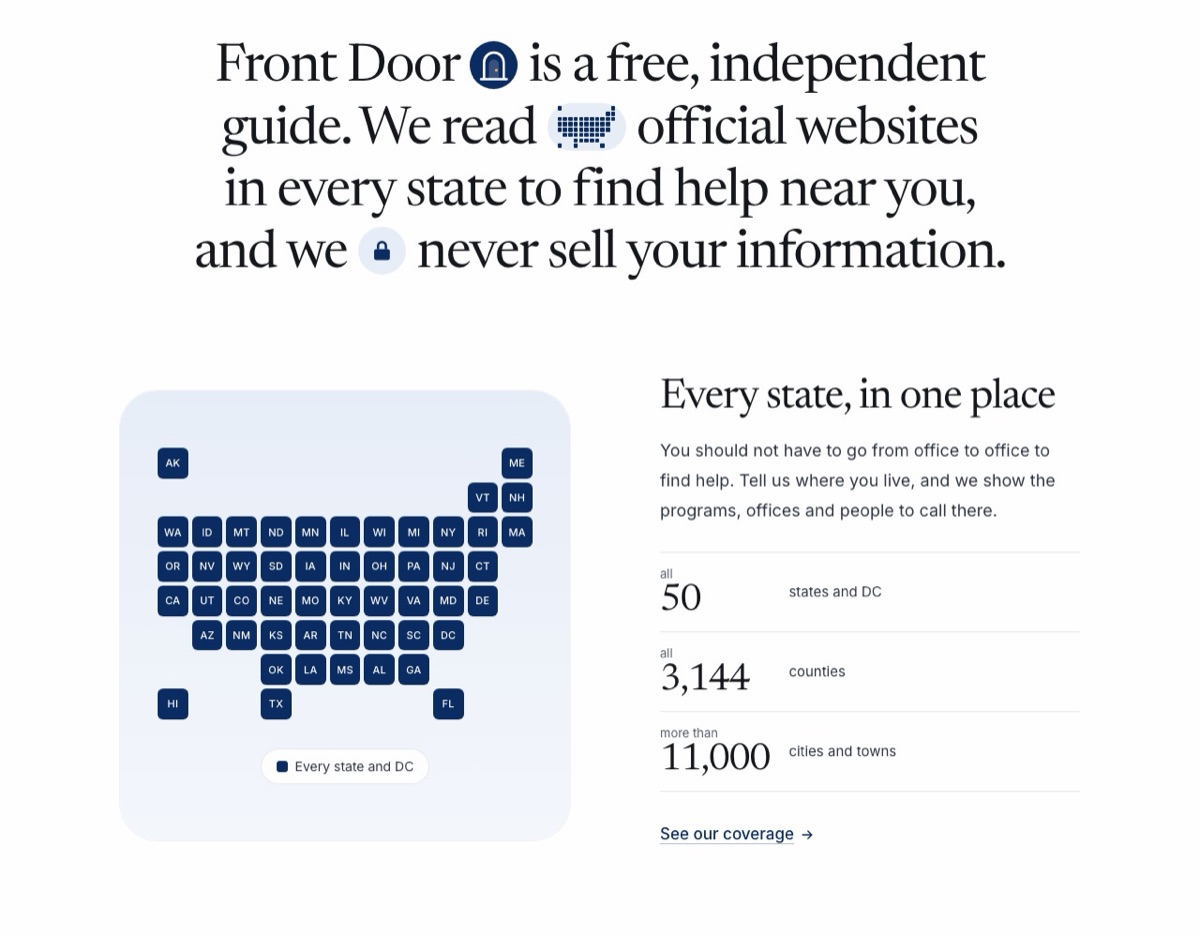
The front page asks first, then says what Front Door is in one sentence and four big cards with live counts.
The front page had grown long. After the box and the topics came a paragraph, seven big numbers, three steps, a moving card of program names and a big map of the states. It was a lot to read before you knew what Front Door does.
Now the box and the topics still come first, so you can ask right away. Under them:
- One sentence says what Front Door is: a free, independent guide that reads official websites in every state to find help near you, and never sells your information.
- Four big cards show Front Door’s own screens: every state in one place, help near you first, where each program comes from, and how you apply and keep track. Each has a short line and one link.
- Our live counts are now inside the cards they belong to: states, counties, cities and towns in the first; local offices, food pantries and meal sites, and nonprofits in the second; state agencies and official pages checked in the third. Food pantries and meal sites are new on the front page.
- The map of the states moved off the front page. It is on Our coverage and the list of states.
The Menu is short and plain now, in one column on a phone or a computer: Get help (Ask a question, Kinds of help, Life events, All states), About, and For organizations and agencies, with Sign in at the bottom. Before, it spread about 35 links over three columns.
The footer keeps the full list, with the same labels. The kinds of help sit under Get help, life events use short names that fit on one line, and no group links the same page twice. Under the line about who runs Front Door, one quiet line says: “In danger, call 911. In crisis, call or text 988.” If you ask about danger, the answer still shows the crisis lines first, and the Safety topic still leads with them.
Ask a question at localcarehub.org.